
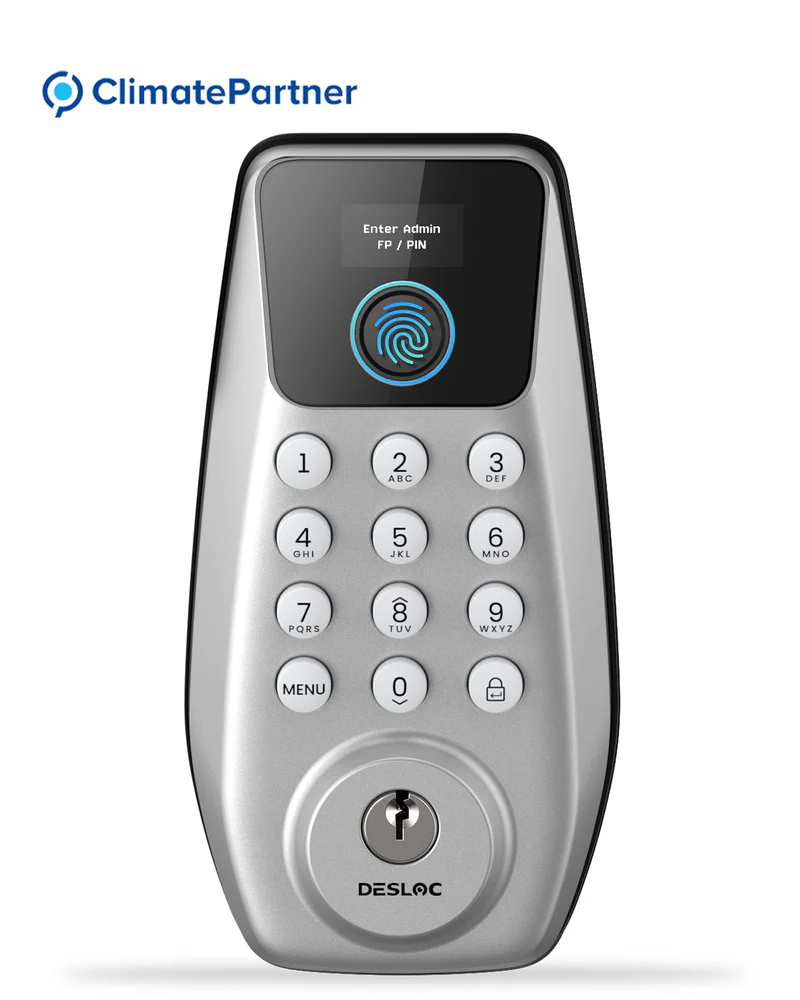
In an era where security technology is constantly evolving, selecting the best smart locks for home installations has become essential for both residential and commercial properties. One of the leading brands in this field is DESLOC, renowned for its innovative smart locking solutions, including their C110 Fingerprint Smart Lock. This article provides a step-by-step guide on how to reset this smart lock for front doors without relying on a mobile app.
Understanding the DESLOC C110 Fingerprint Smart Lock
The DESLOC C110 Fingerprint Smart Lock stands out among the best smart locks for home use, featuring advanced fingerprint recognition alongside a PIN system. Its reliable security features make it an excellent choice for homeowners and homeowners alike, ensuring ease of access combined with robust protection. However, resetting this smart lock without the app can be a daunting task for some. The good news is that it can be done efficiently by following a few simple steps.
Step-by-Step Guide to Resetting Your DESLOC Smart Lock

Initiate the Reset Process: Begin by pressing the Menu button on the DESLOC C110 Fingerprint Smart Lock. Enter the initial PIN, which is typically “123456.” Confirm your entry by pressing the Enter button. It is important to ensure that the door is open during this step, as the lock will automatically detect the opening direction.
Enter the Administrator’s Name: After confirming the initial PIN, the next step is to input the administrator’s name. For instance, if the desired name is “Ab,” press the number 2 button twice to select “A,” then confirm by pressing Enter. For the letter “b,” press the 2 button three times continuously, followed by a double-click on the Enter button to finalize the entry.
Set a New PIN: Once the administrator’s name has been entered, it’s time to create a new PIN. This PIN should consist of 6 to 8 digits for optimal security. After entering the new PIN, confirm it by pressing the Enter button.
Confirm the New PIN: To complete the reset, you need to enter the new PIN once more, followed by pressing Enter. This final confirmation will ensure that your new PIN is set and that you have successfully reset the lock.
By following these steps, users can reset the DESLOC C110 smart lock effectively, ensuring that their front door remains secure and accessible only to authorized individuals.
Ensuring Security with the Right Smart LockFor homeowners seeking the best smart lock for front door security, the DESLOC C110 smart lock offers a blend of modern security features and user-friendly functionality. Resetting the lock without an app not only enhances accessibility but also empowers users with direct control over their security settings. As companies continue to prioritize safety, adopting reliable smart locks like the DESLOC can provide peace of mind for property owners and their homes alike.
